

UnitProof
Unit prices, without the spreadsheet
Live on the Shopify App Store
Overview
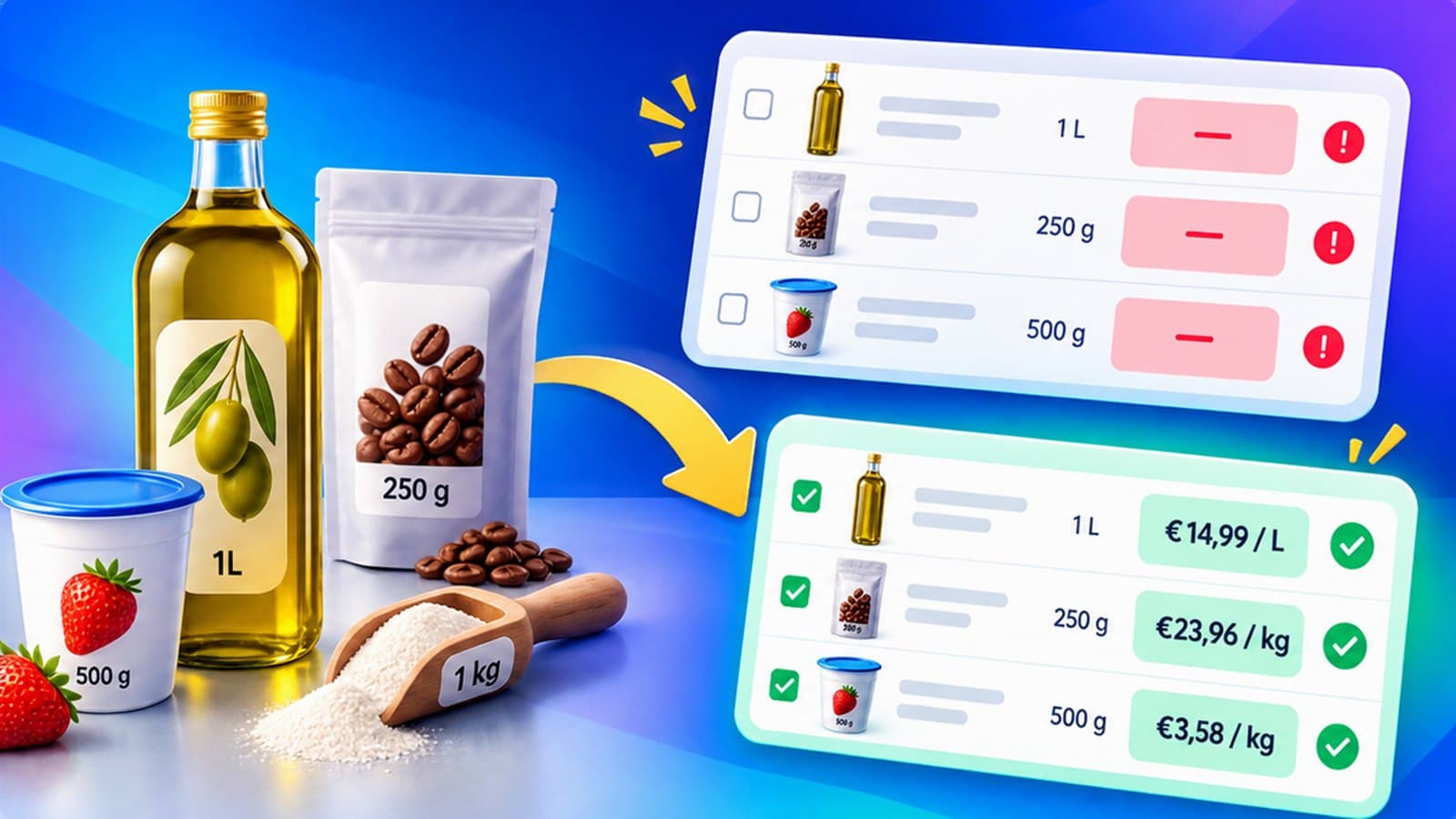
UnitProof finds the variants in a Shopify catalog whose price per kilo, litre, metre, square metre or item is missing or wrong, works out the right measurement from what the store already knows, and writes it across the catalog in one go — into Shopify's own unit price fields, so the theme shows it without any change. Built for merchants who sell by measure: food, drink, cosmetics, cleaning products, building materials.
How it works
- 01
It reads the catalogue you already have
On install it scans every variant and reports how much of the catalogue carries a unit price, and what is in the way of the rest.
- 02
It says what it would write, and where it got it
A variant option that says 500 g, a title that says 6 × 0,33 l, a shipping weight that agrees with both — each is a clue, and the Source column names the one it used.
- 03
Nothing is written until you have seen it
The preview lists every selected variant before and after, with the unit price each one will end up with. Anything it is unsure about is held back by default.
- 04
Apply, and undo for thirty days
Every run is recorded with the values it replaced. Undoing a change UnitProof made is never charged for.
Features
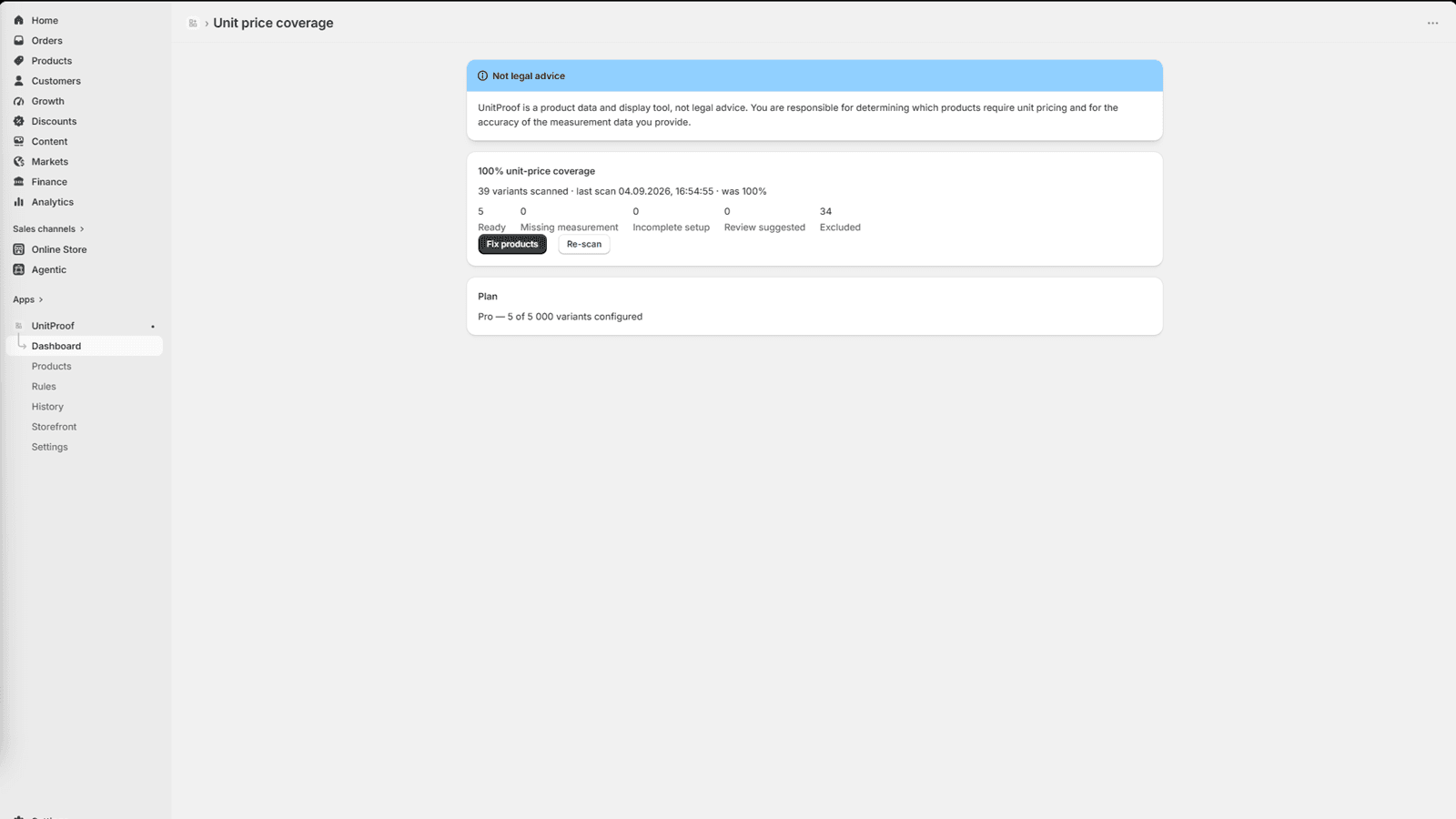
It reads the catalogue you already have
On install it scans every variant and reports what it found — how much of the catalogue carries a unit price, and what is in the way of the rest.
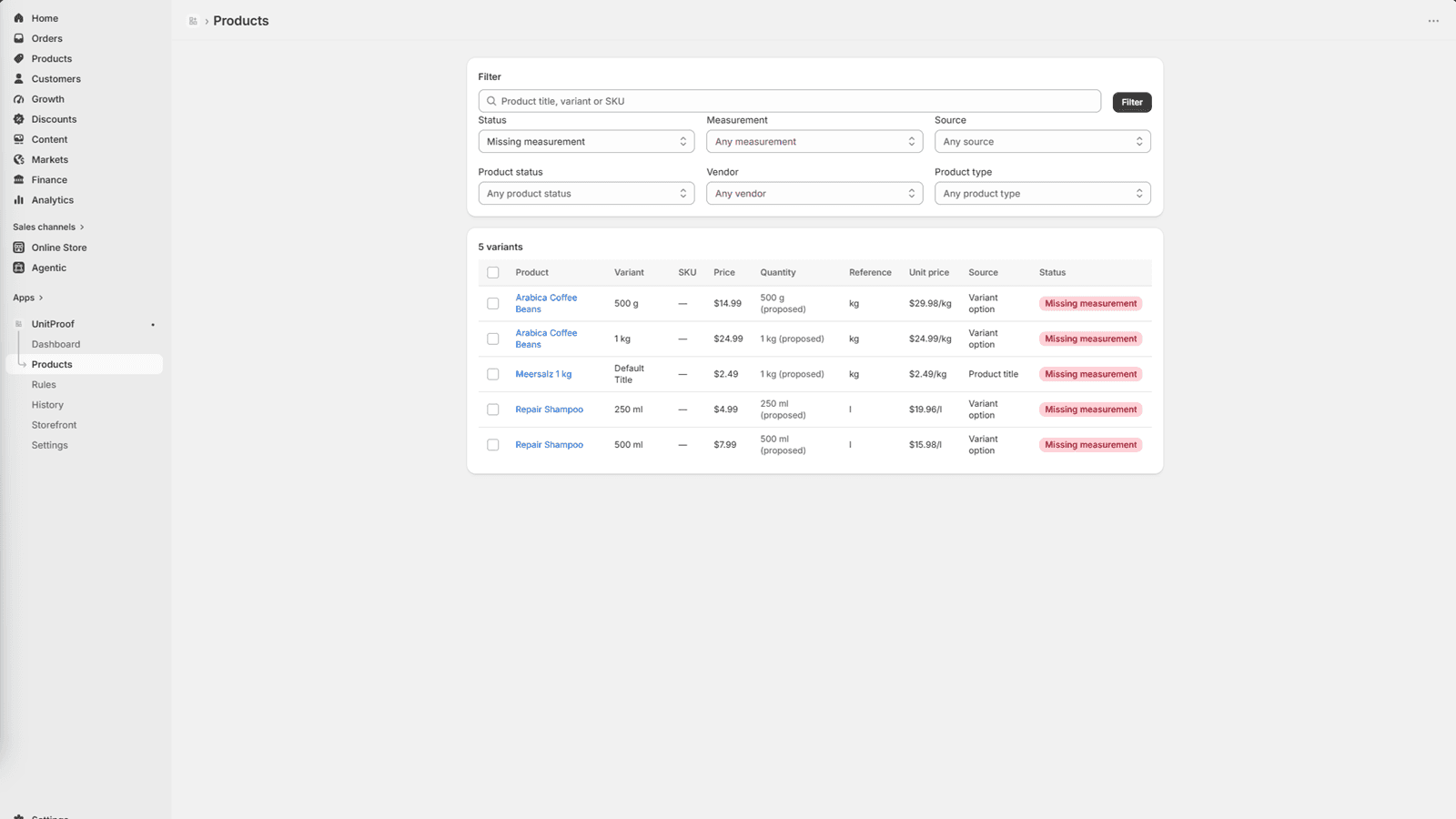
It says what it would write, and where it got it
A variant option that says 500 g, a title that says 6 × 0,33 l, a shipping weight that agrees with both — each is a clue, and the Source column names the one it used.
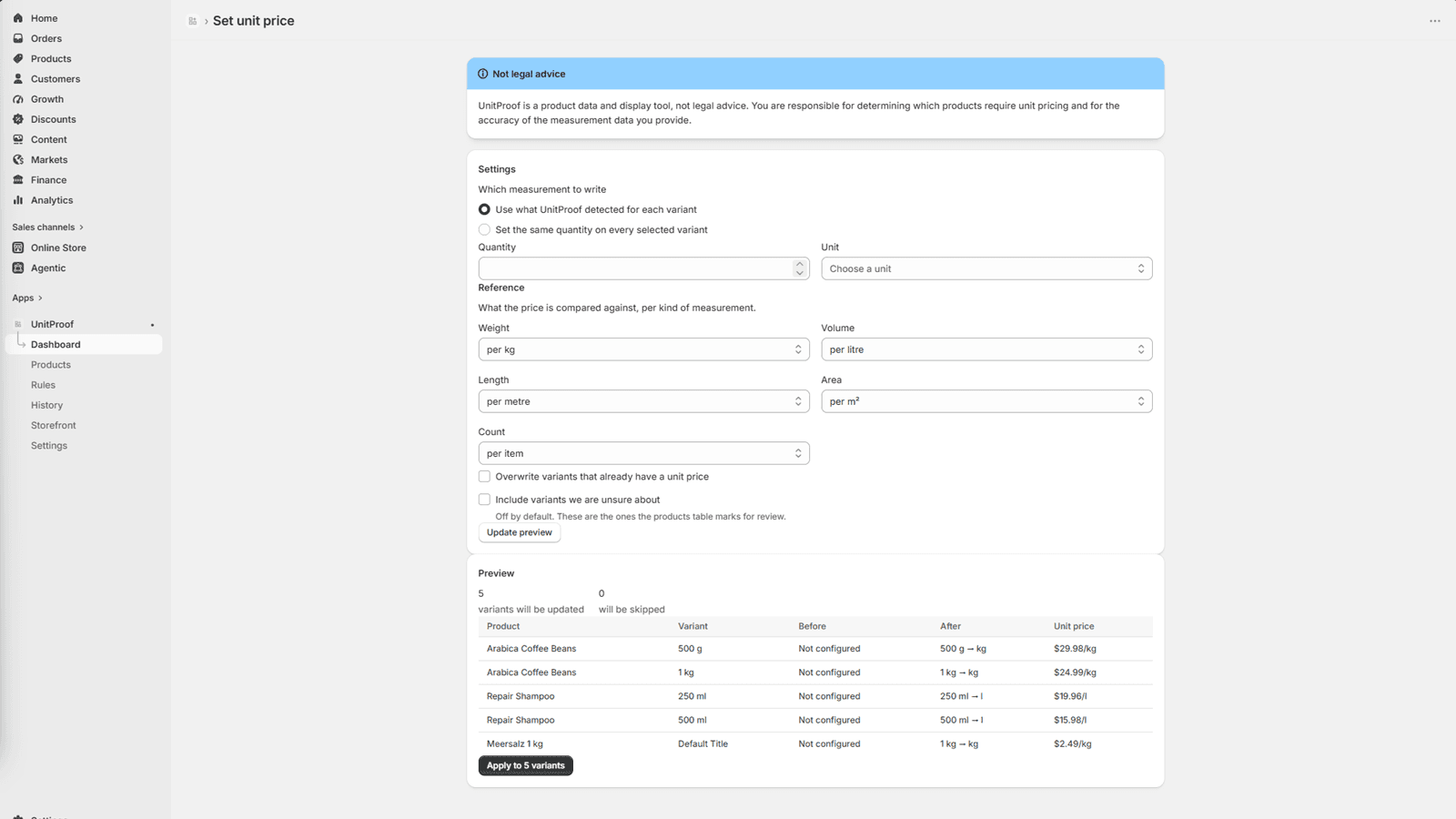
Nothing is written until you have seen it
The preview lists every selected variant before and after, with the unit price each one will end up with. Anything it is unsure about is held back by default and listed separately.
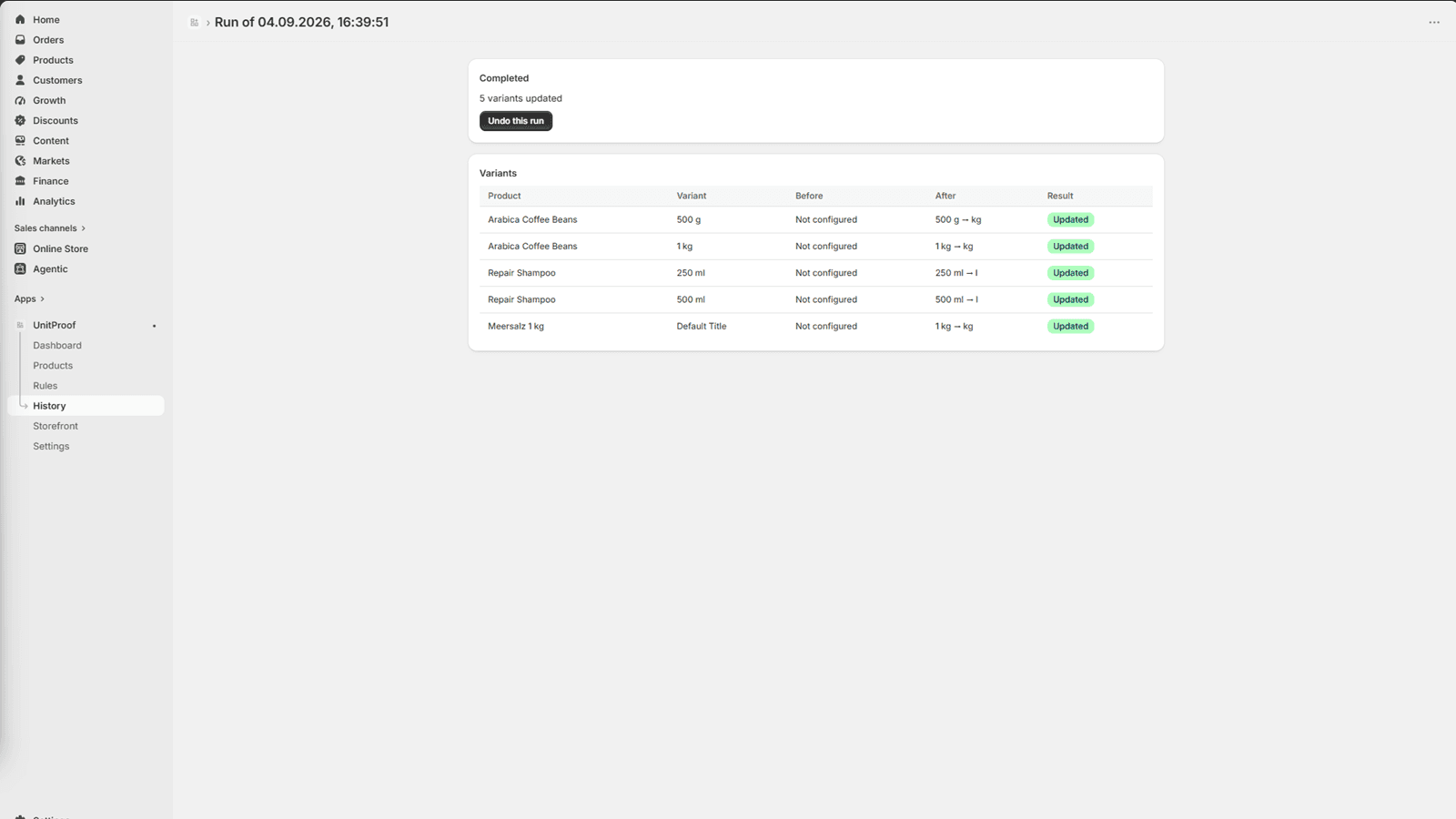
Apply, and undo for thirty days
Every run is recorded with the values it replaced. Undoing a change UnitProof made is never charged for.
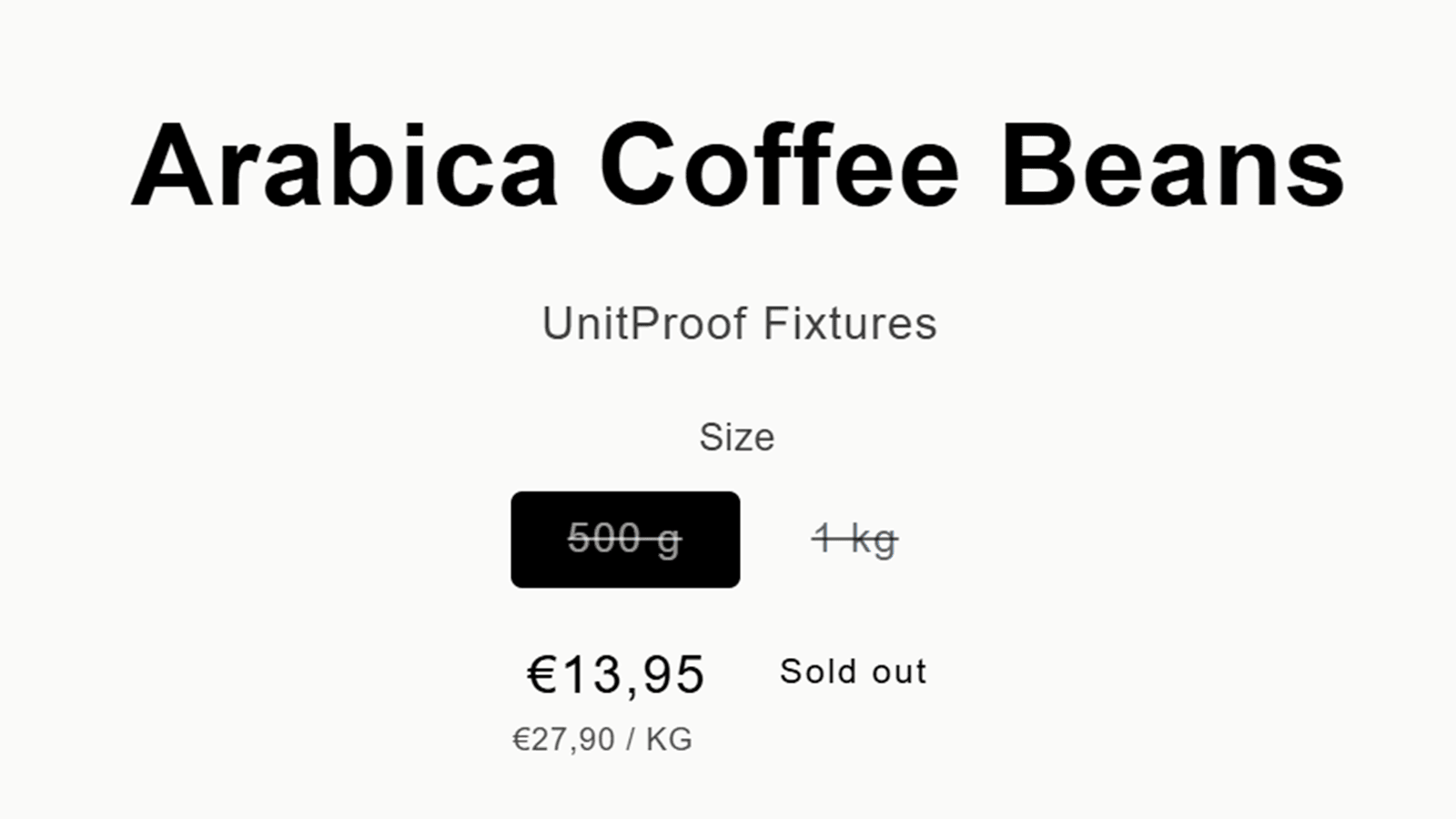
It writes to Shopify's own fields
The figure goes into the native unit price fields, which means the theme shows it wherever it already shows a price — on product pages, in collections, in the cart. No theme edit, and nothing left behind if the app is uninstalled.
Screenshots
Pricing
Free
$0
10 variants configured
Basic
$12.99 / mo
500 variants configured
7-day trial
Pro
$19.99 / mo
5,000 variants configured
7-day trial
Scale
$39.99 / mo
50,000 variants configured
7-day trial
Plans differ by catalog size only. Every plan includes the full feature set.
Frequently asked questions
- Do I have to edit my theme?
- No. UnitProof writes into Shopify's native unit price fields, and any Online Store 2.0 theme already shows them. A theme block is also available for older or heavily customised themes that don't read those fields.
- What if it isn't sure about a variant?
- Rows where two clues disagree — a title that claims 500 g and a parcel that weighs 800 g — are held back and listed separately rather than written. The decision stays with you.
- Can I undo a bulk change?
- Yes. Every run is recorded with the values it replaced, and undoing a change UnitProof made is never charged for, for thirty days.
- Is the free plan a demo?
- No. Ten variants is enough to configure a category and watch the unit price appear on your live storefront — the decision is made on your own catalogue, not on sample data.
Support
Questions about UnitProof? Reach out through the Shopify App Store listing.
UnitProof is a product data tool, not legal advice. Deciding which of your products need a unit price shown is yours to make.