
Sheetsmith
Bulk edit products in a spreadsheet. Undo in one click.
Live on the Shopify App Store
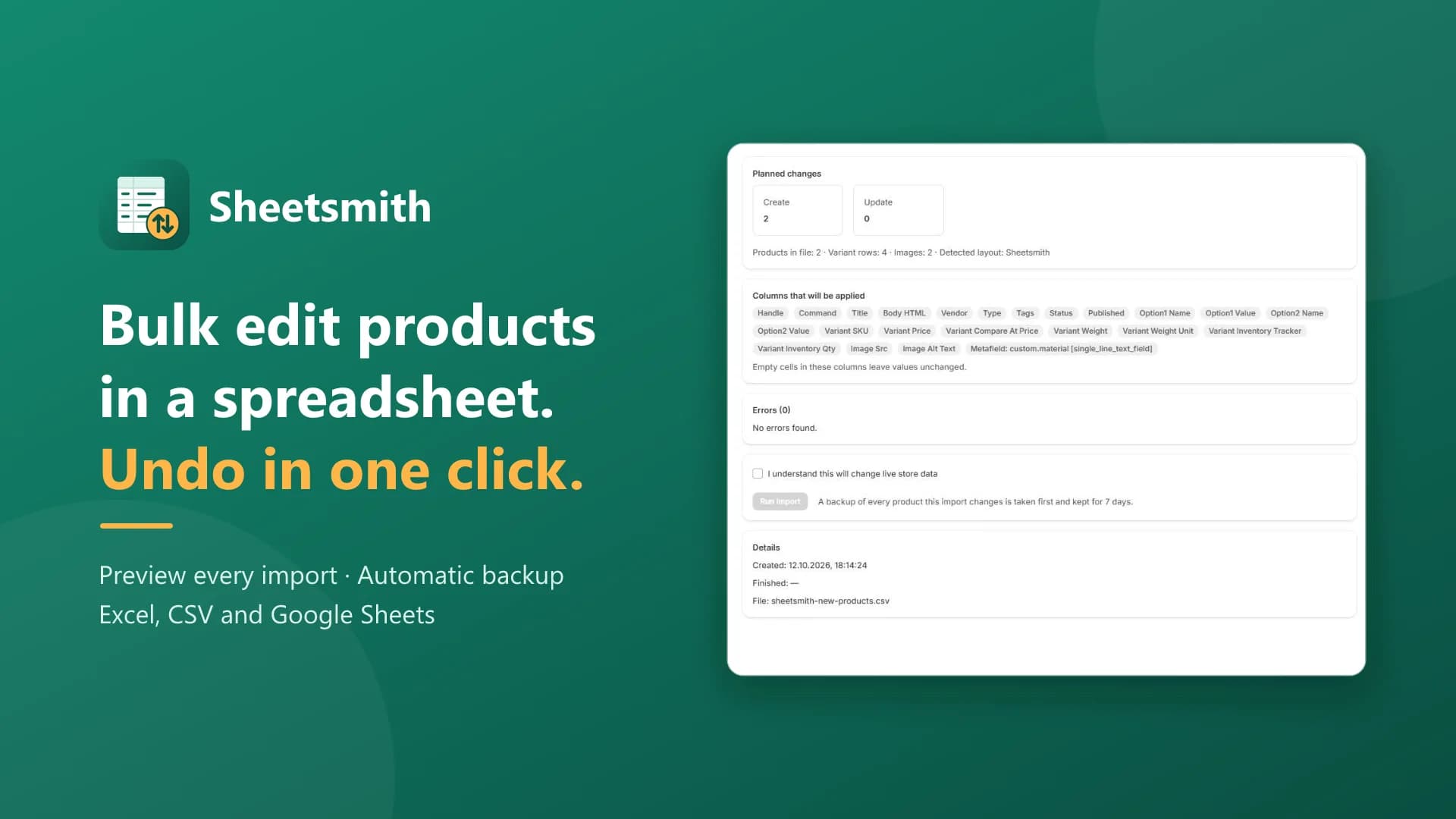
Sheetsmith lets Shopify merchants export products to a spreadsheet, edit them in Excel or Google Sheets and import the changes back. Before anything is written, a dry run shows exactly which products will be created, updated or deleted, with errors listed by row, so nothing touches the store until you confirm. Every product an import changes is backed up first and kept for 7 days; Restore puts products back as they were, with the same IDs and no duplicates. Only the columns you include are applied and empty cells are left alone, so a half-filled sheet can't erase your catalog. Import from a file or straight from a Google Sheets, Google Drive or Dropbox link, set or adjust inventory per location, and get an email when long jobs finish. Works with Shopify's product CSV format, handles 100,000+ products per job, and has a free plan.
- Preview first
- Creates, updates, deletes and row errors, before anything is written
- Undo in one click
- Automatic backup before every import
- Blank cells are safe
- Only the columns you include are applied
- Free plan
- Up to 50 products per job
- 01
Export what you need
Filter by status, vendor, type, tag, collection or last update, pick the columns, and download CSV or Excel.
- 02
Edit in a spreadsheet
Change products in Excel or Google Sheets, or import straight from a Google Sheets, Google Drive or Dropbox link.
- 03
Preview every change
A dry run lists what will be created, updated or deleted, with errors by row. Nothing touches the store until you confirm.
- 04
Import, and undo if you need to
Every product an import changes is backed up first. Restore puts it back as it was, with the same IDs.
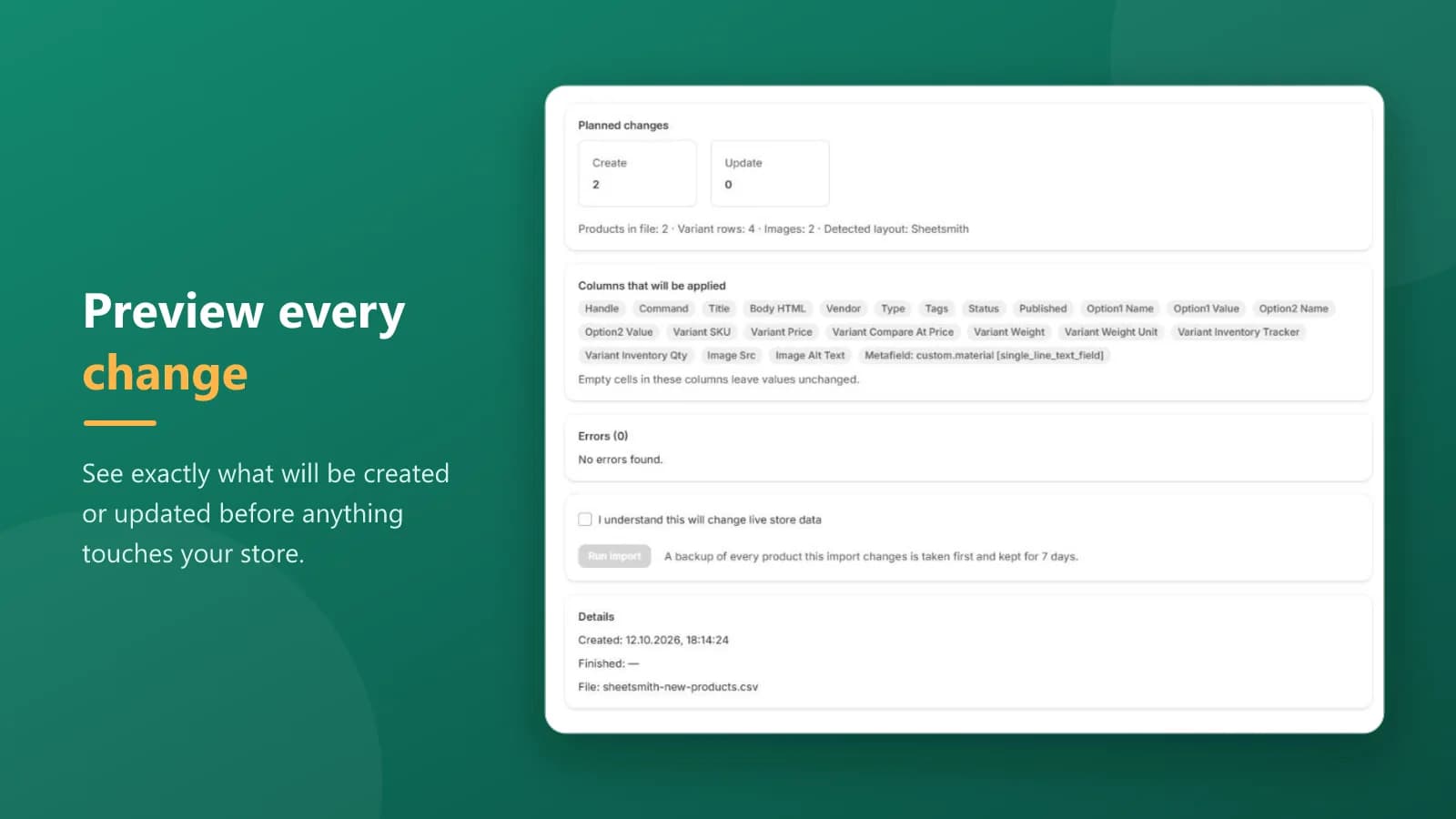
Preview before anything changes
Before anything is written, a dry run shows exactly which products will be created, updated or deleted, with errors listed by row, so nothing touches the store until you confirm.
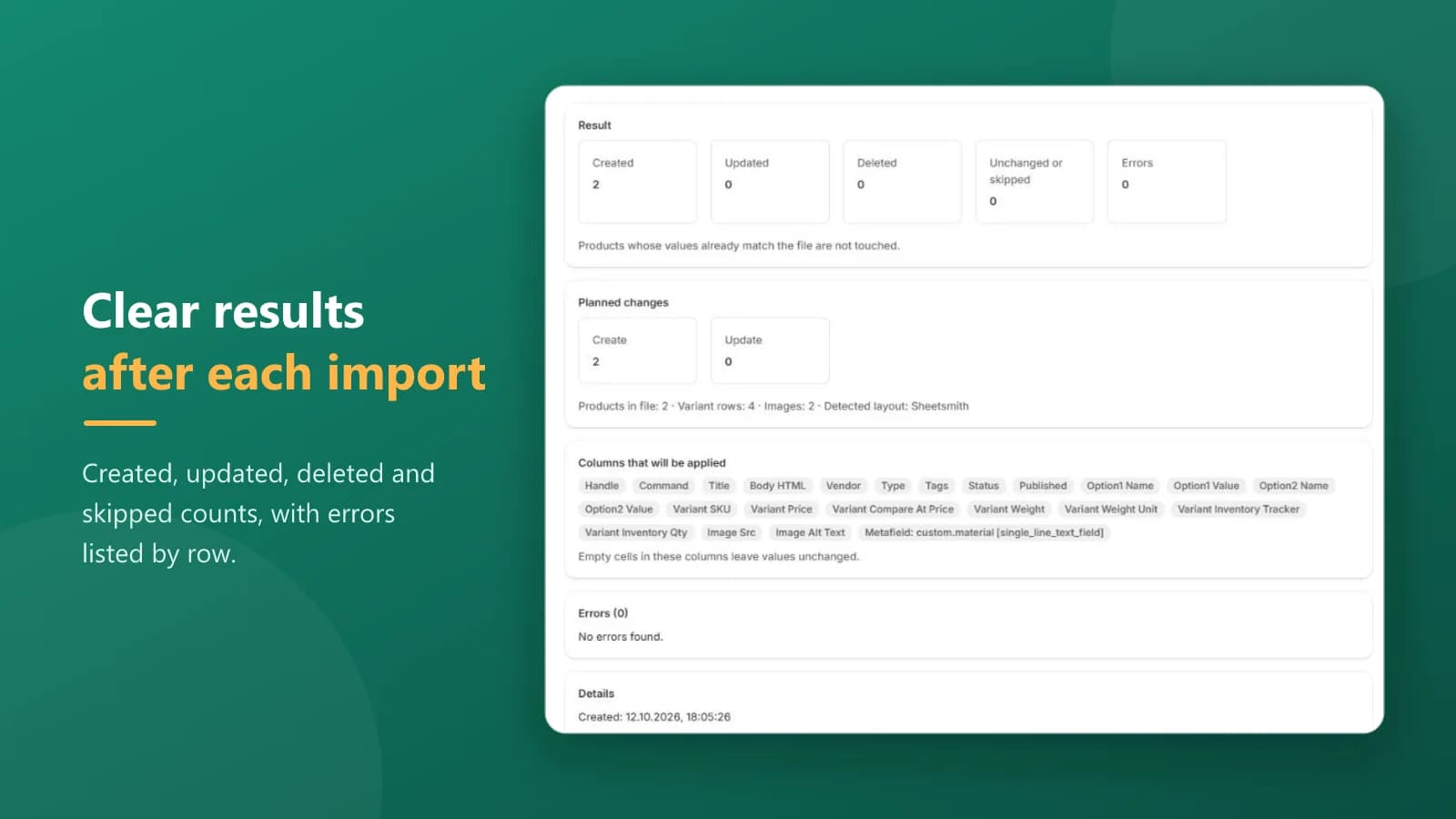
Clear results after each import
Created, updated, deleted and skipped counts, with errors listed by row. Re-importing an unchanged export writes nothing — only real differences are applied.
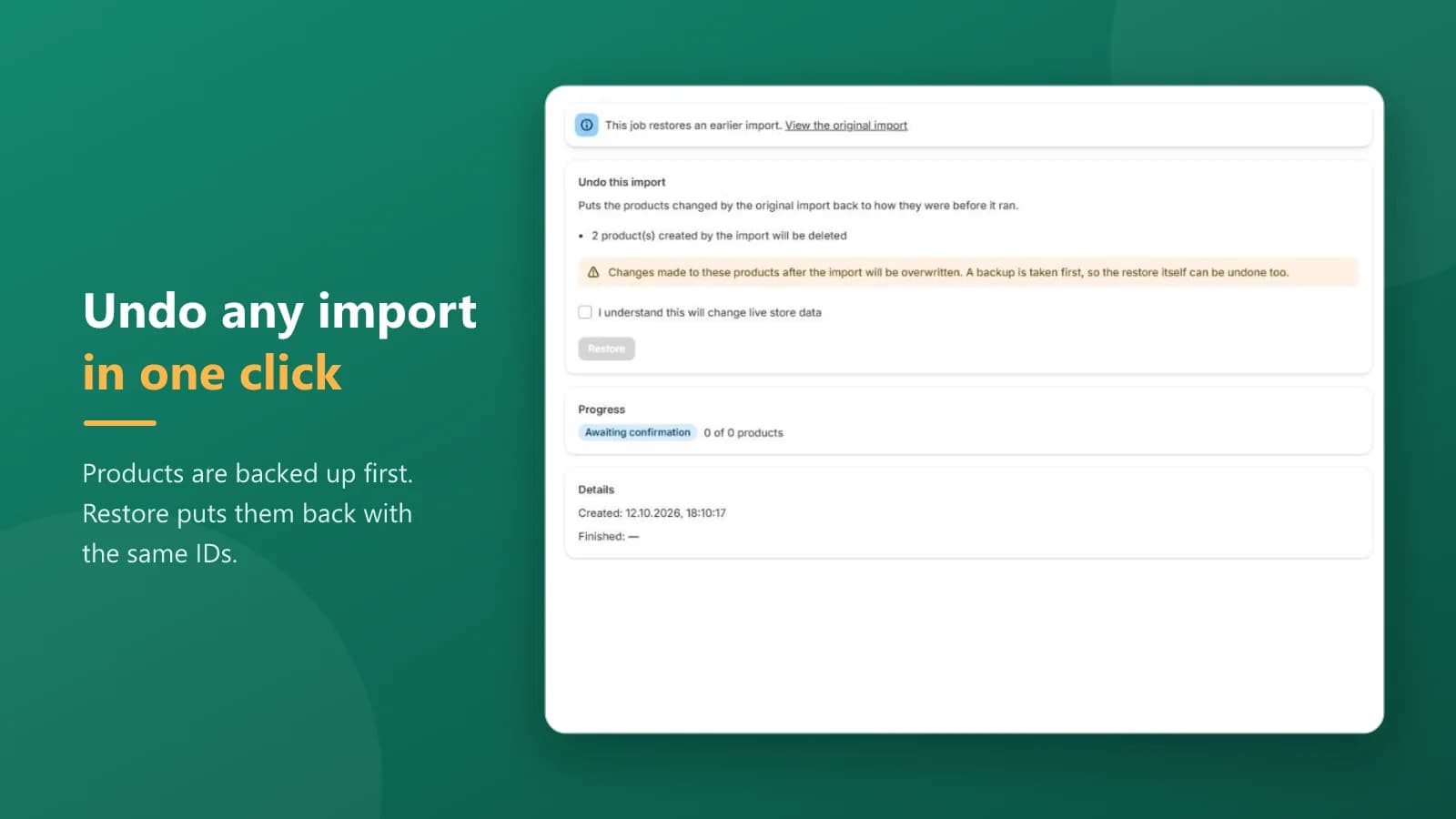
Undo any import in one click
Every product an import changes is backed up first and kept for 7 days. Restore puts products back as they were, with the same IDs and no duplicates.
Blank cells never wipe data
Only the columns you include are applied and empty cells are left alone, so a half-filled sheet can't erase your catalog. Type [clear] to erase on purpose.
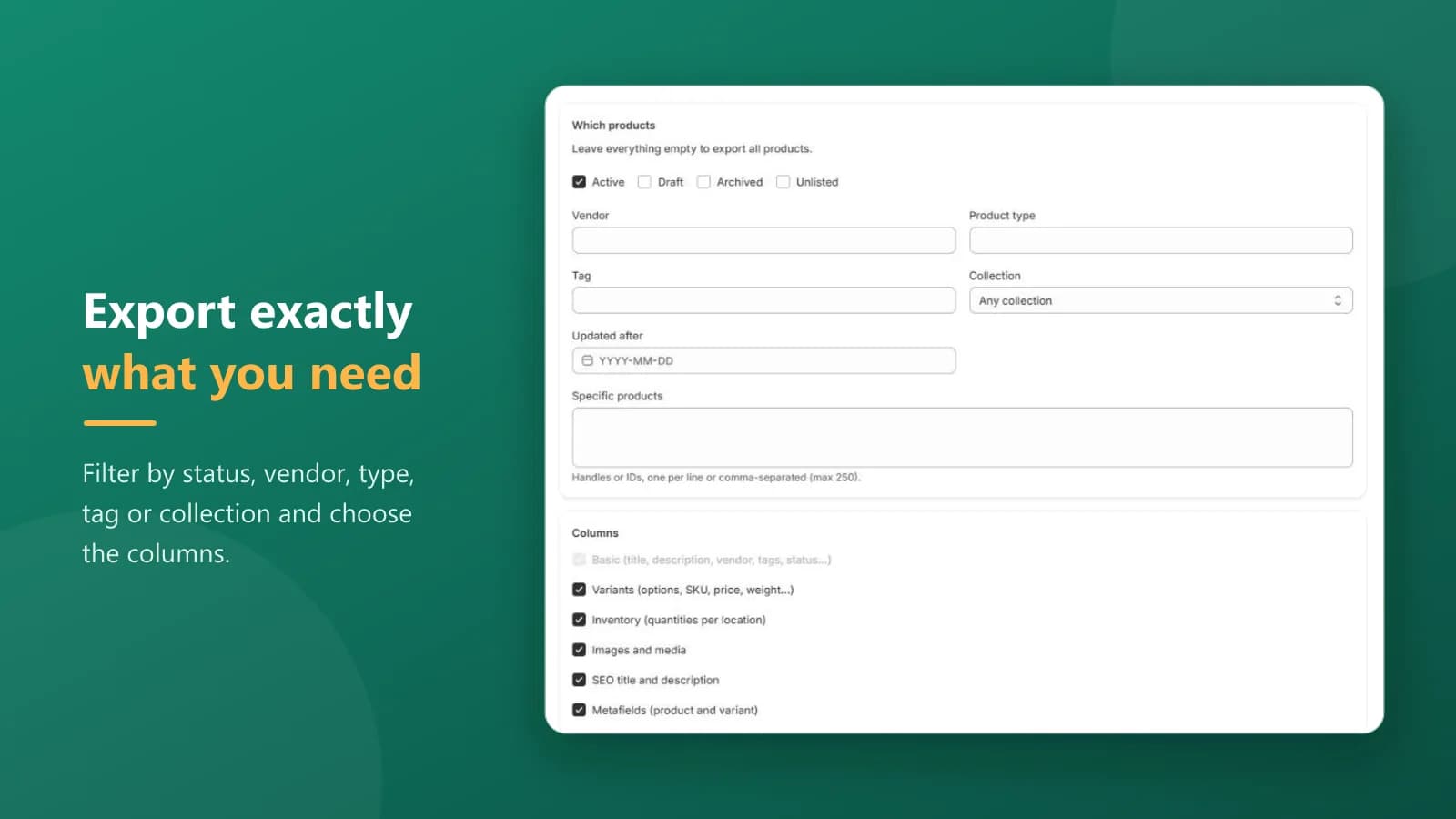
Export exactly what you need
Export products, variants, inventory per location, images, SEO and metafields to CSV or Excel. Filter by status, vendor, type, tag, collection, last updated or specific products, and save export templates.
Files, links and commands
Import from a file or a Google Sheets, Google Drive or Dropbox link. Choose a command per product — NEW, MERGE, UPDATE, REPLACE, DELETE or IGNORE — and set or adjust inventory (+5 / −2) safely alongside live sales. It works with Shopify's product CSV format.
Built for large catalogs
It handles 100,000+ products per job, keeps a job history, and emails you when a long job finishes. Data is hosted in the EU (Frankfurt) and uploaded files are deleted automatically after 7 days.
Free
$0
50 products per job
Starter
$15 / mo
10,000 products per job
7-day trial
Growth
$39 / mo
100,000 products per job
7-day trial
Scale
$99 / mo
Unlimited products per job
7-day trial
Plans are priced per job, with no monthly cap on the number of jobs. Paid plans start with a 7-day free trial. Yearly billing is ten months for the price of twelve: $150, $390 and $990 a year.
Is my data safe?
Every product an import changes is backed up first and kept for 7 days. Data is hosted in the EU (Frankfurt), and uploaded files are deleted automatically after 7 days.
Can I undo an import?
Yes. Restore puts products back as they were, with the same IDs and no duplicates. A backup is taken first, so the restore itself can be undone too.
Will an empty cell erase my data?
No. Only the columns you include are applied, and empty cells are left alone. To erase a value on purpose, type [clear].
Does it work with Shopify's product CSV format?
Yes. Sheetsmith works with Shopify's product CSV format, and re-importing an unchanged export writes nothing.
What if my file is too big for my plan?
The preview tells you which plan you need before anything runs.
Where can I get it?
Sheetsmith is on the Shopify App Store. Install it from the listing, and the free plan lets you try it on your own store first.
Questions about Sheetsmith? Reach out through the Shopify App Store listing.