Running out of a best seller costs sales; over-ordering ties up cash. Stockpace helps Shopify merchants find the balance without spreadsheets or black-box predictions. The app reads products, stock levels and order history from Shopify and calculates, for every variant, the sales velocity, safety stock, reorder point and suggested order quantity. Each number is shown as a formula with the store's own values, so merchants can see exactly why a product needs reordering. From there, Stockpace covers the rest of the purchasing cycle: supplier lead times, costs, pack sizes and minimum orders; purchase orders created from the suggestions and sent as PDF, CSV or email; receiving with a barcode scanner that adds stock to the right Shopify location exactly once; and stocktakes that show differences before updating Shopify.
- Reorder suggestions
- Every variant, with the formula behind each number
- Purchase orders
- From suggestions, as PDF, CSV or email
- Receiving and stocktakes
- Barcode scanner, safe updates to Shopify
- Free plan
- 100 tracked variants, 1 location
- 01
It reads your store
Stockpace reads products, stock levels and order history from Shopify.
- 02
It calculates every variant
Sales velocity, safety stock, reorder point and suggested order quantity — each shown as a formula with your store's own values.
- 03
Suggestions become purchase orders
Using each supplier's lead time, cost, pack size and minimum order, sent as PDF, CSV or email.
- 04
Receive and count
Deliveries are received with a barcode scanner, and stocktakes show the differences before Shopify is updated.
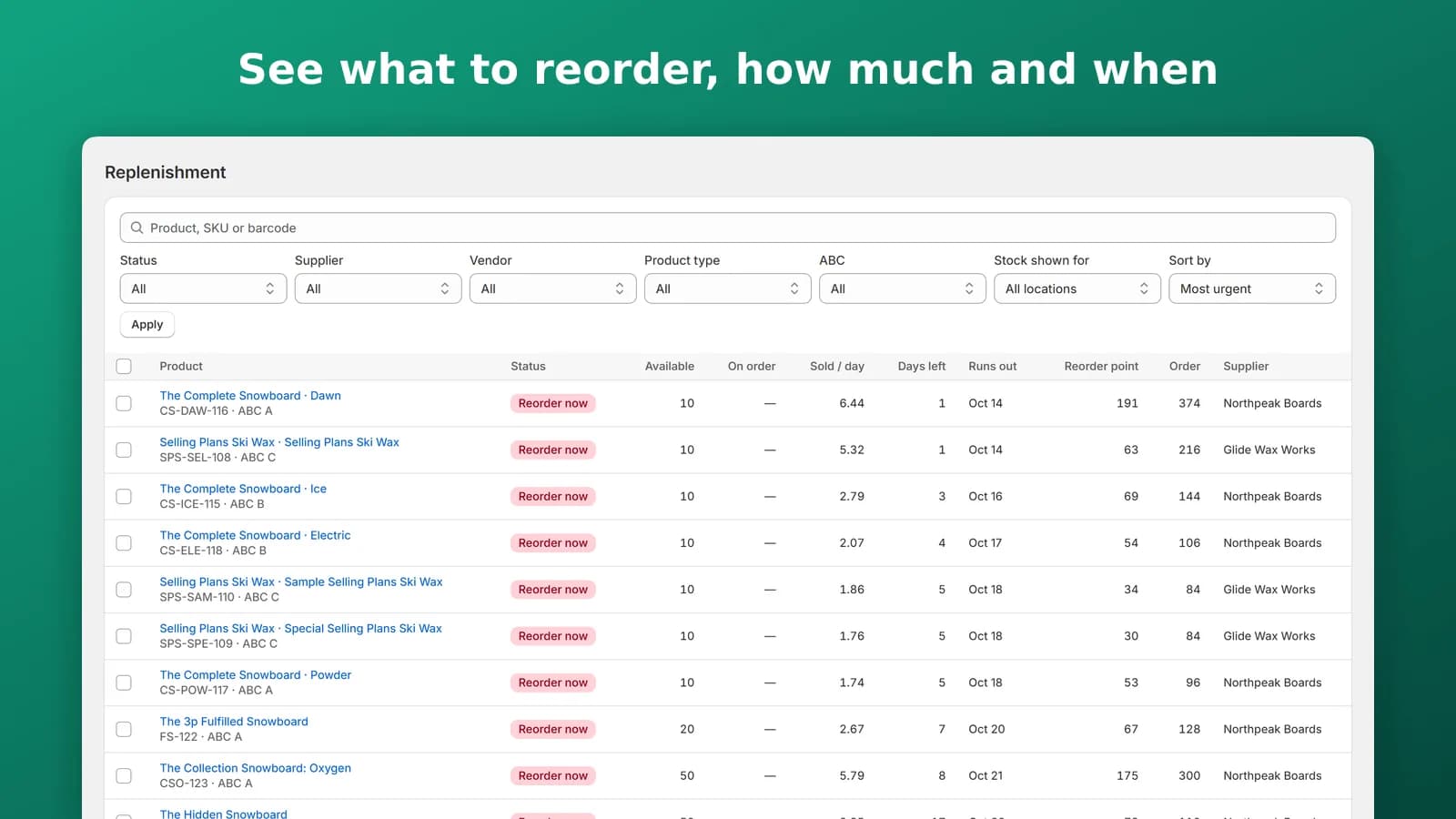
See what to reorder, how much and when
Reorder suggestions for every variant, built from the store's own sales history, with safety stock and reorder points from sales, lead times and service level. Dead stock, overstock and ABC classes sit in the same view.
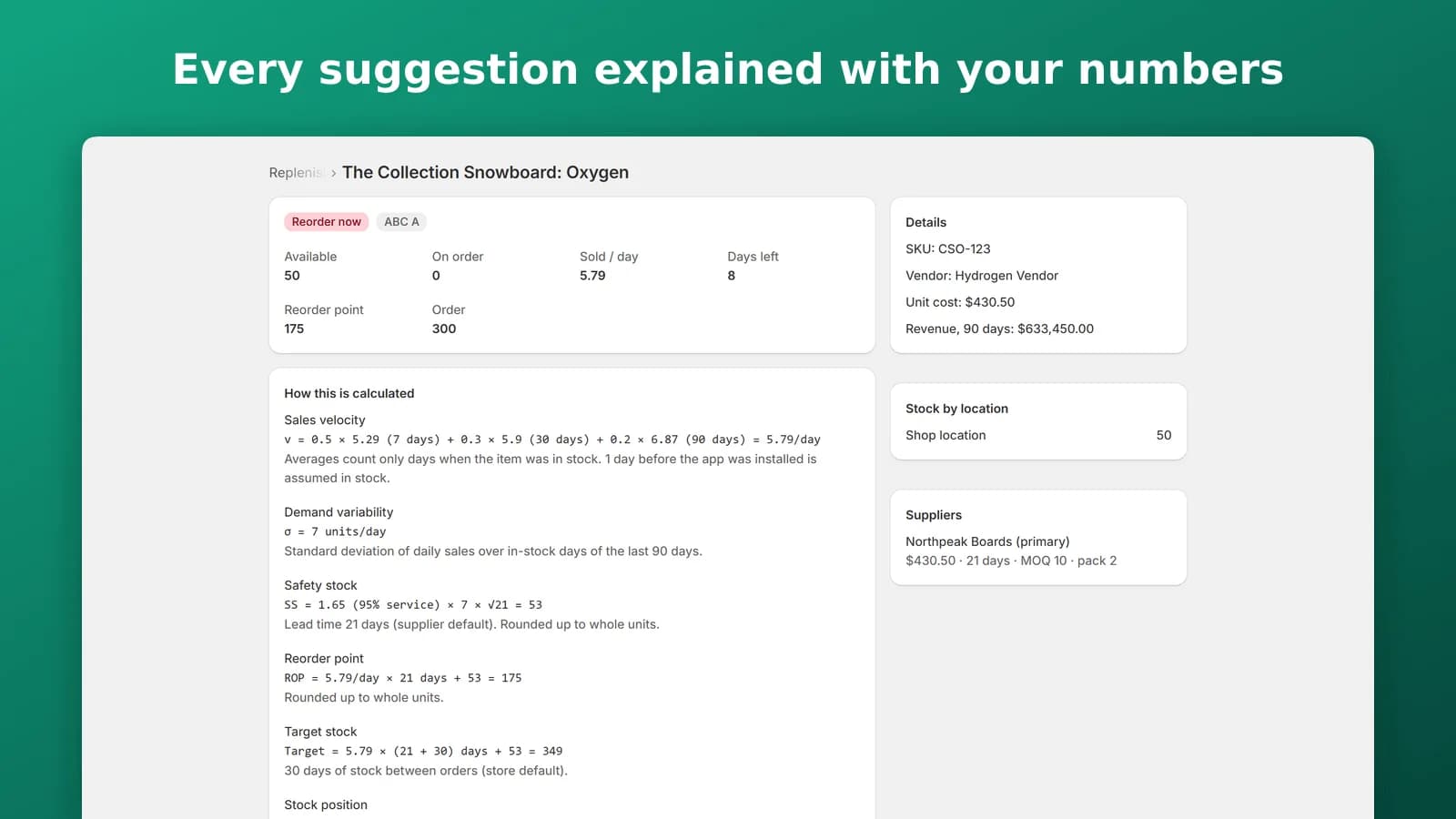
Every suggestion explained with your numbers
Each number is shown as a formula with the store's own values — sales velocity, demand variability, safety stock, reorder point and target stock — so you can see exactly why a product needs reordering. No spreadsheets, no black-box predictions.
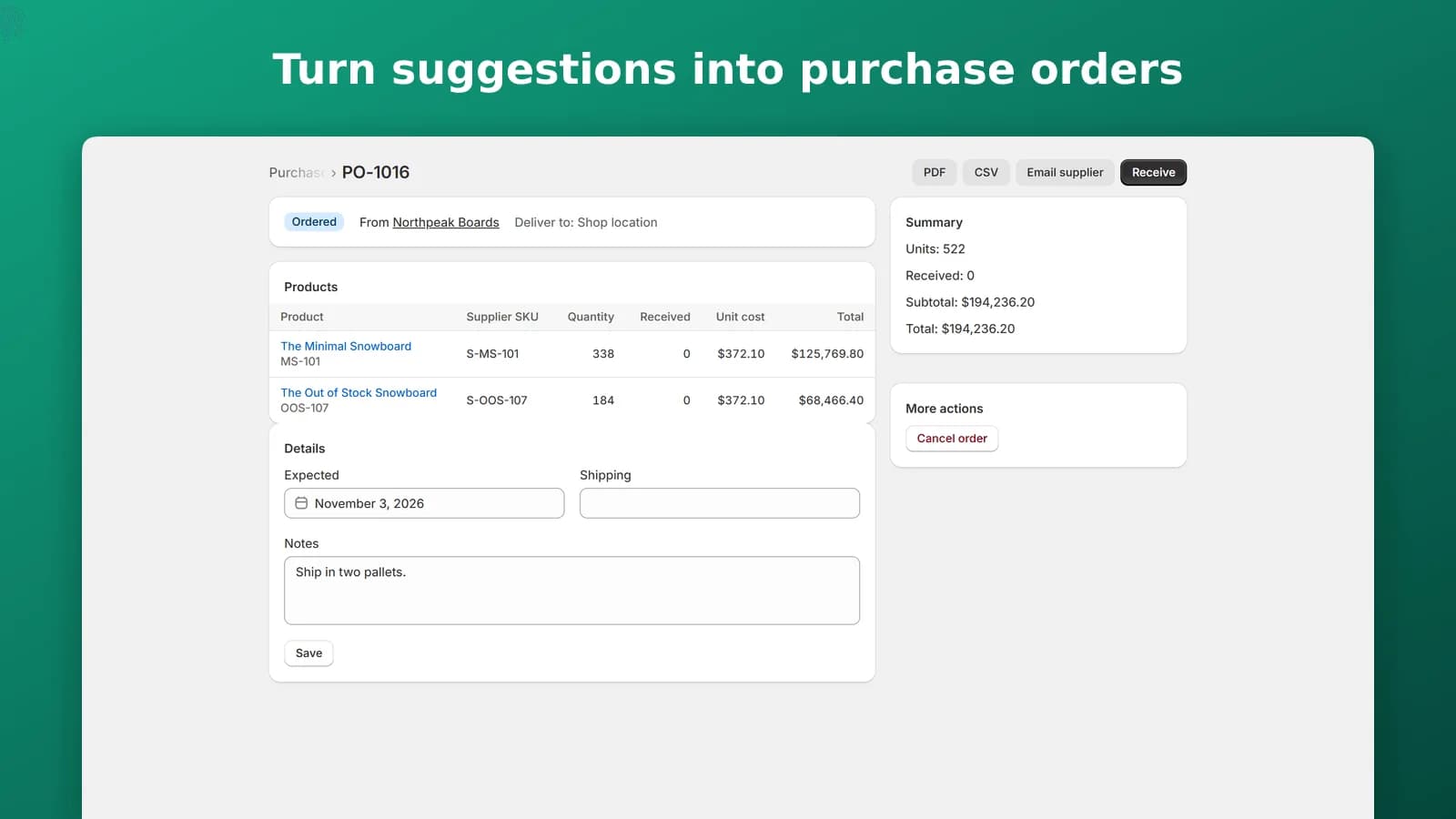
Turn suggestions into purchase orders
Keep supplier lead times, costs, pack sizes and minimum order quantities, and create purchase orders from the suggestions. Send them as PDF, CSV or email.
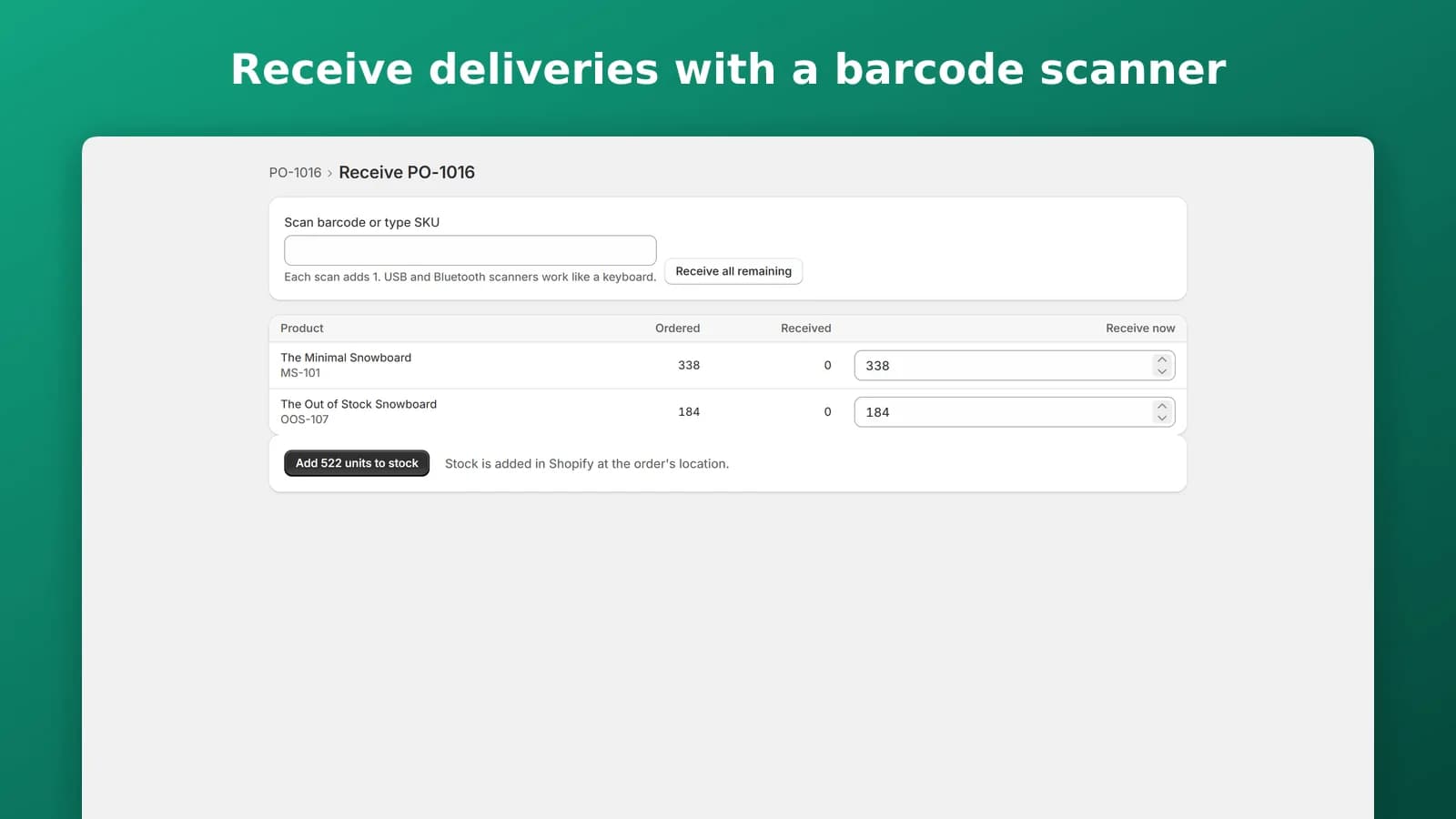
Receive deliveries with a barcode scanner
Scan a delivery in and Stockpace adds the stock to the right Shopify location exactly once. Partial deliveries are supported, and USB and Bluetooth scanners work like a keyboard.
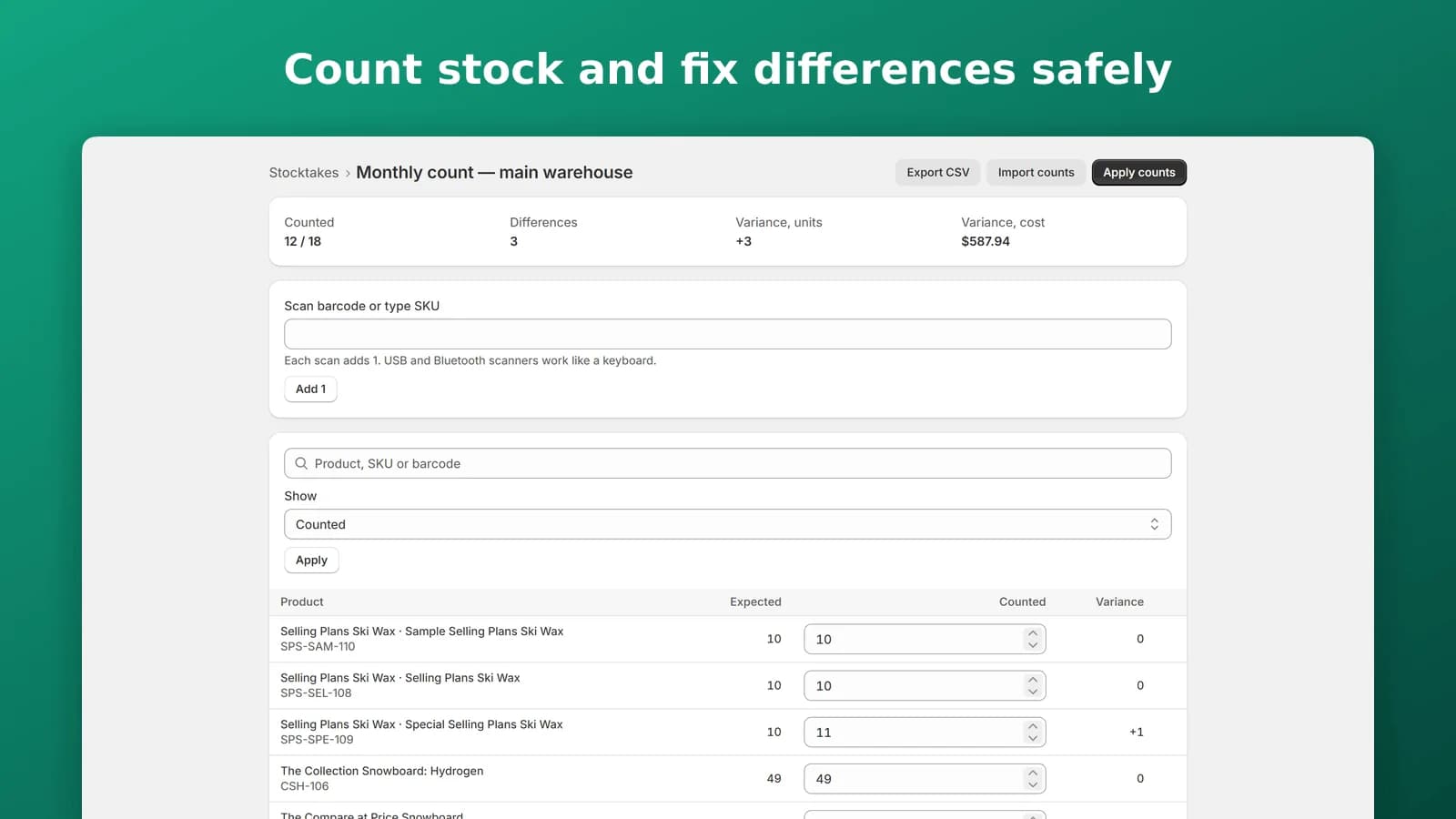
Count stock and fix differences safely
Run stocktakes by location with a variance report. The differences are shown before Shopify is updated, so a count never changes stock by surprise.
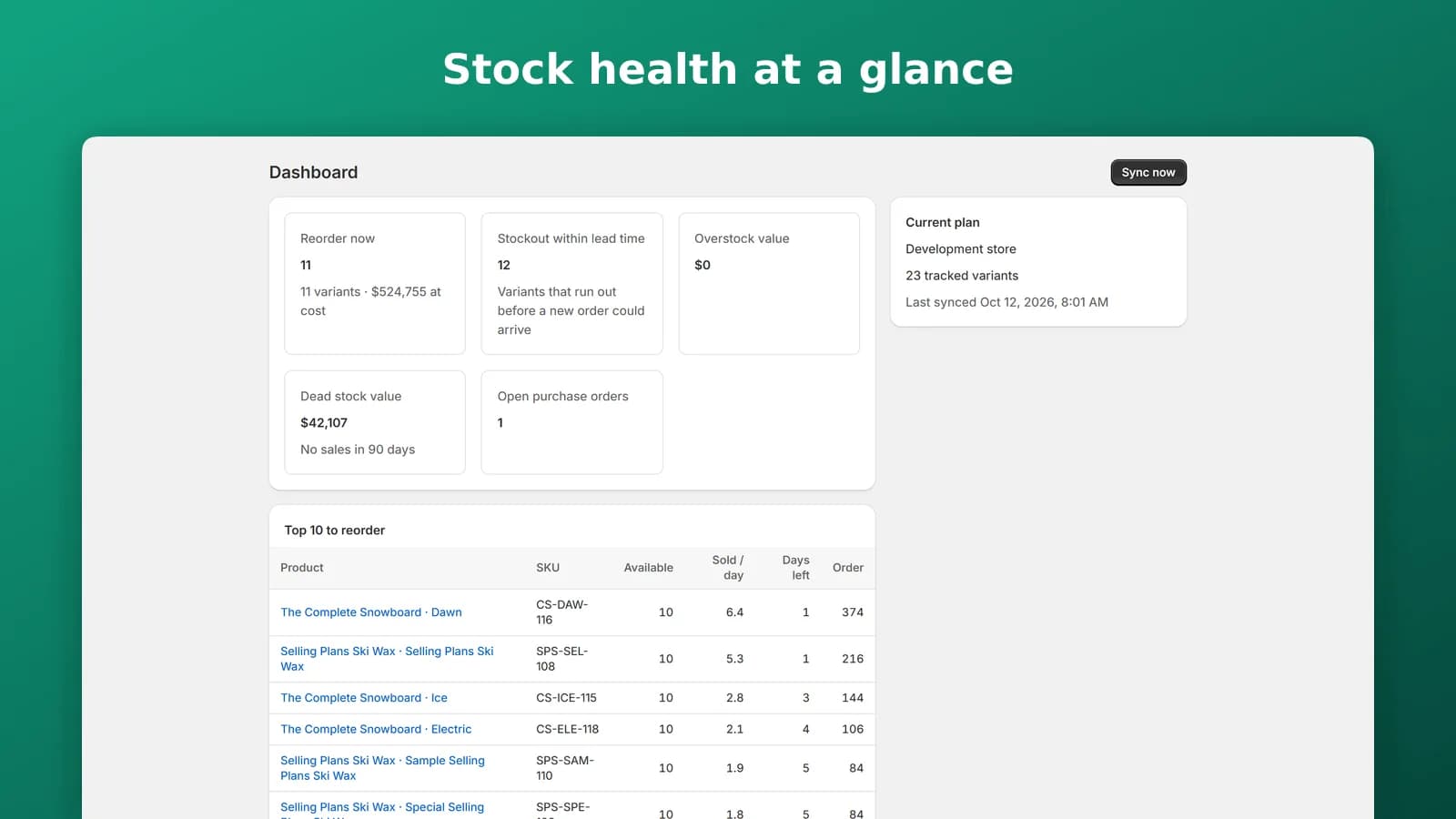
Stock health at a glance
The dashboard shows what to reorder now, what will run out within its lead time, overstock and dead stock, and open purchase orders. A weekly email summary and daily alerts for top sellers running low keep you ahead of it.
Built for growing stores
Stockpace is built for growing stores, including merchants moving away from Shopify Stocky. It stores no customer personal data.
Free
$0
100 tracked variants, 1 location, 3 suppliers
Starter
$19 / mo
2,000 variants, 1 location, email alerts
14-day trial
Growth
$49 / mo
15,000 variants, 5 locations, email alerts
14-day trial
Pro
$99 / mo
Unlimited variants and locations, email alerts
14-day trial
Stockpace is coming soon to the Shopify App Store; these are the plans it will launch with. Every plan includes forecasts, purchase orders, receiving, stocktakes and CSV import. Limits depend on products and locations, never on sales. Yearly billing is $190, $490 and $990 a year.
How does it decide what to reorder?
Stockpace reads products, stock levels and order history from Shopify and calculates, for every variant, the sales velocity, safety stock, reorder point and suggested order quantity. Each number is shown as a formula with your store's own values.
Are these black-box predictions?
No. Every number comes with the formula behind it, using your own sales, lead times and service level, so you can check it.
Can I create purchase orders from the suggestions?
Yes. Purchase orders are created from the suggestions, using each supplier's lead time, cost, pack size and minimum order, and can be sent as PDF, CSV or email.
How does receiving work?
Scan a delivery with a barcode scanner, or type the SKU. Stock is added to the right Shopify location exactly once, and partial deliveries are supported.
Are stocktakes safe?
Yes. Stocktakes are run by location and show a variance report first; Shopify is only updated when you apply the counts.
Do plan limits depend on my sales?
No. Limits depend on products and locations, never on sales.
Does it store customer data?
No. Stockpace stores no customer personal data.
When can I install it?
Stockpace is coming soon to the Shopify App Store. No date is promised; this page will link to the listing once it is live.
Questions about Stockpace? Write to hello@alexcommercelabs.com.