

PriceProof 30
Show the real 30-day low price
Live on the Shopify App Store
Overview
The EU Omnibus Directive requires a shop announcing a price reduction to state the lowest price that applied in the preceding period — usually 30 days. Shopify does not keep price history, so that figure does not exist anywhere in the admin. PriceProof 30 records every price change on every variant, works out the lowest price actually in effect over the last 30 days, and shows it under the price on the product page.
How it works
- 01
Install and connect
PriceProof 30 reads your catalog once, then listens for price changes through Shopify webhooks.
- 02
History builds itself
Every change is stored as a dated record. A daily recalculation keeps each variant's 30-day low current as the window slides forward.
- 03
The storefront shows the figure
The theme block prints the lowest price of the last 30 days under your price, per variant, in the shopper's own currency and language.
Features
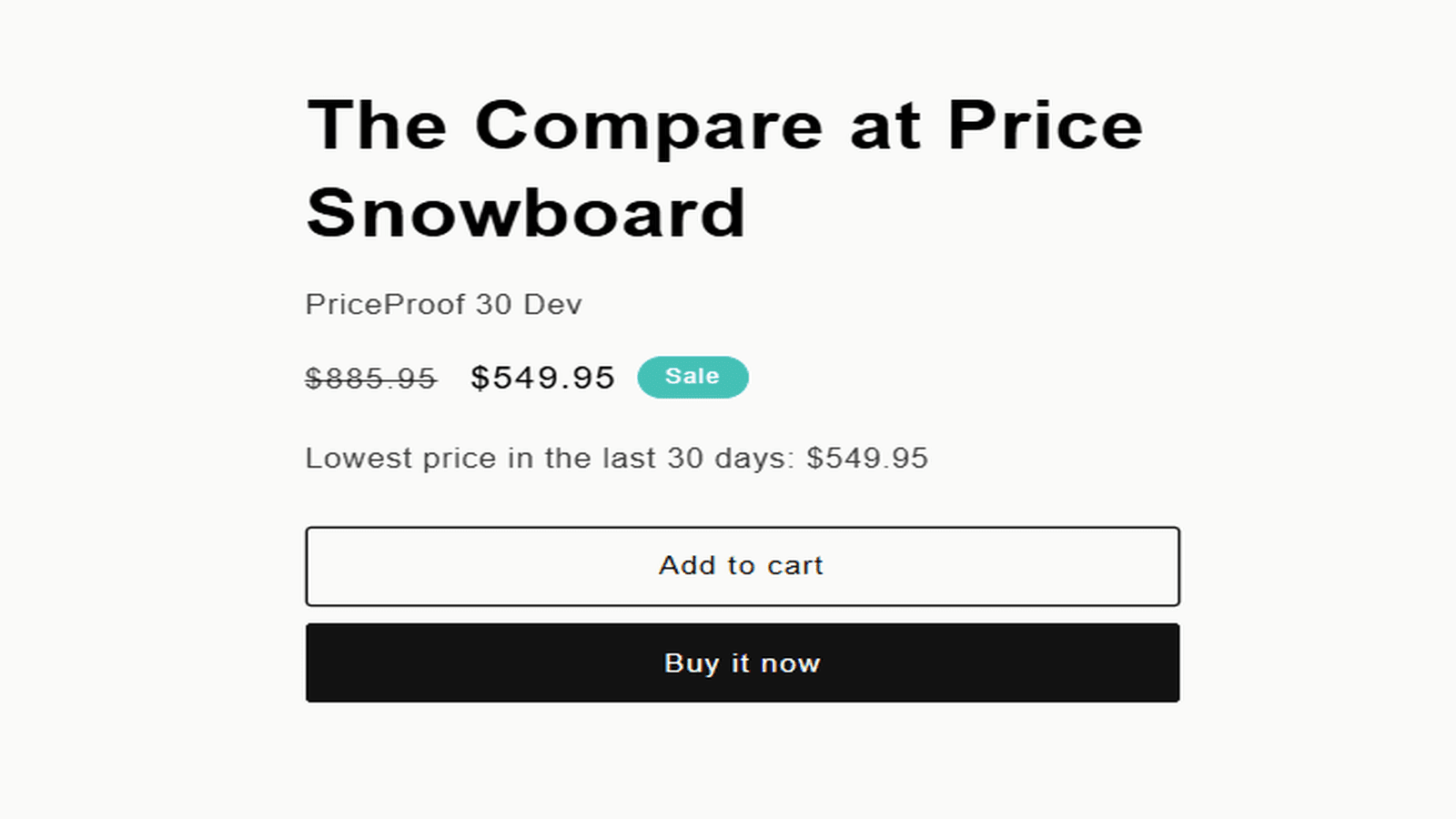
The figure appears where shoppers look
A line under the price reads “Lowest price in the last 30 days,” with the amount. It follows the variant a shopper selects, uses the currency of the market they are browsing in, and is translated into twelve languages.
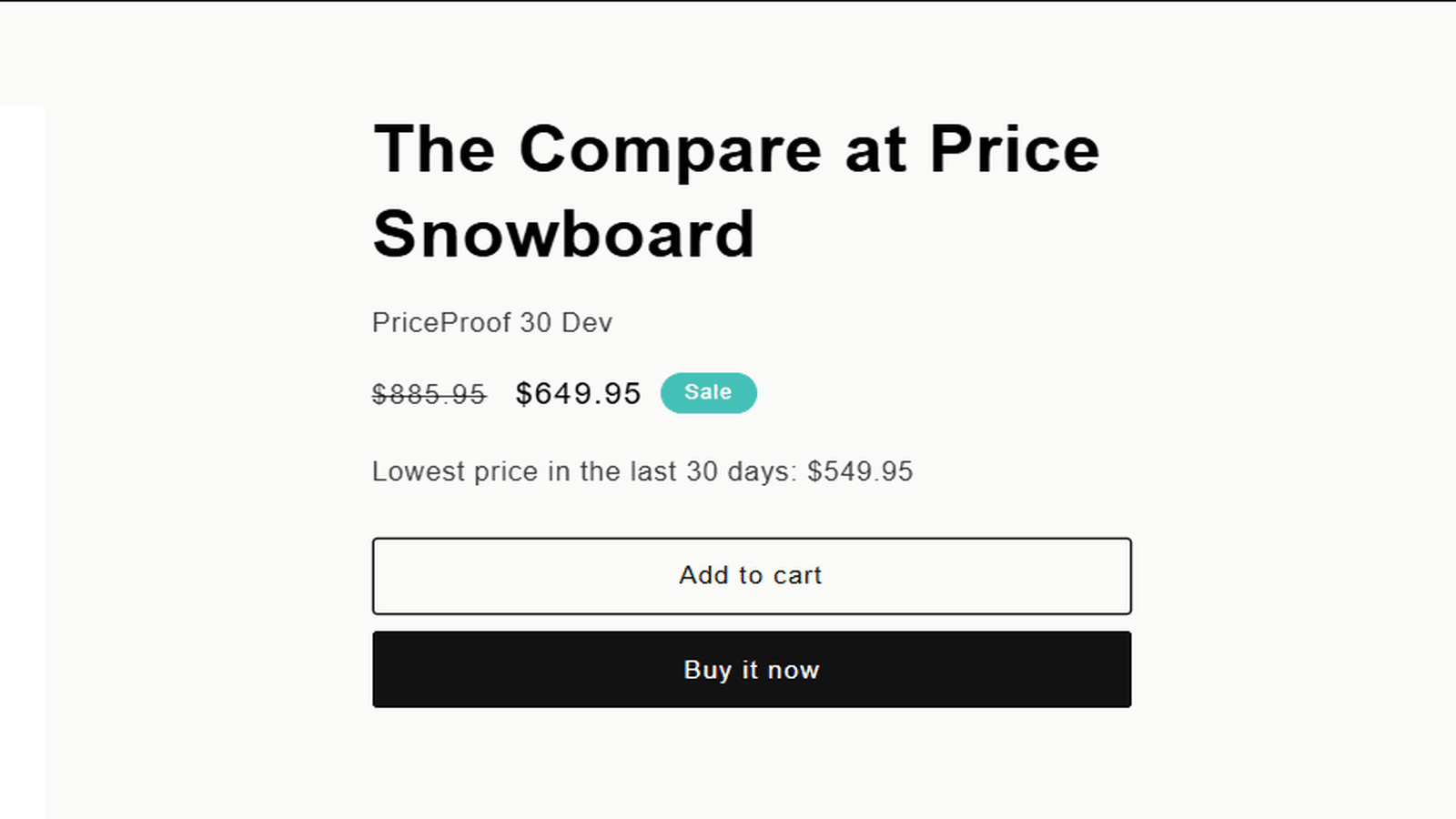
An honest figure, even when it is inconvenient
PriceProof 30 reports what actually happened, including a price set before the window opened and still running inside it — the case simpler tools get wrong. If the 30-day low sits below your sale price, the widget says so.
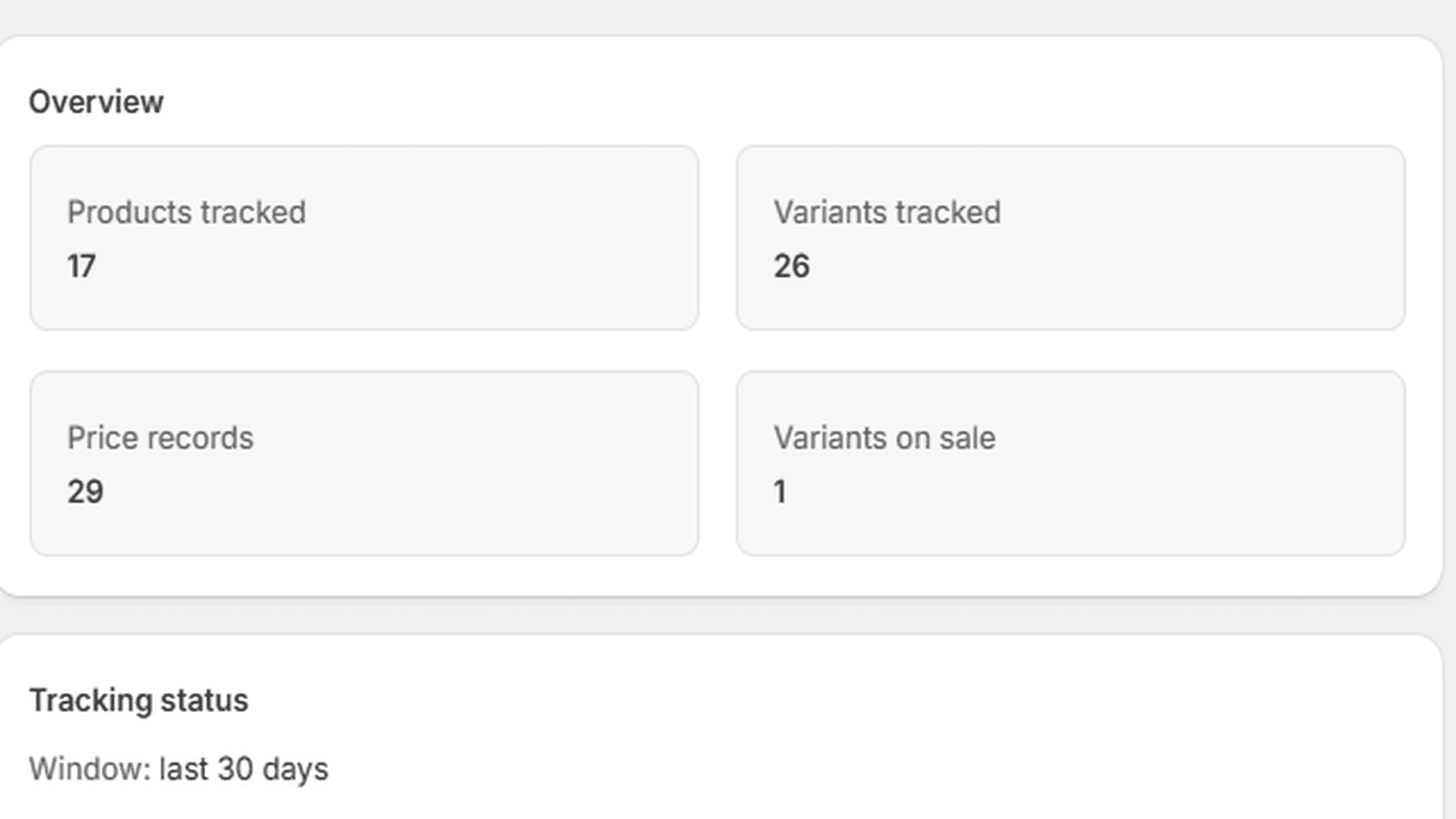
See what is tracked, and since when
The dashboard counts products, variants, stored price records and variants currently on sale, and states the day tracking began. Until thirty days of history exist, it says so plainly instead of pretending the window is full.
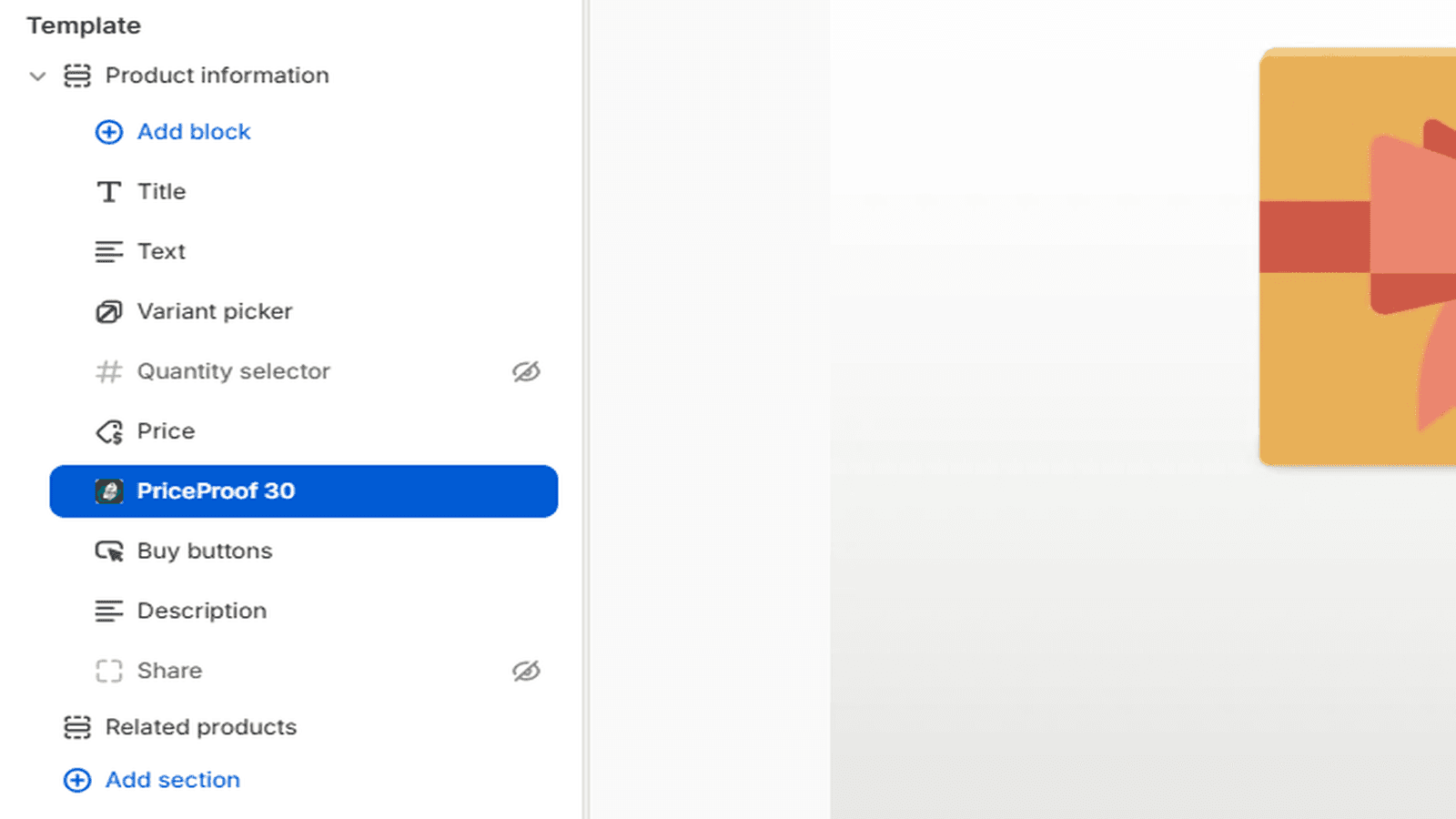
Add it in the theme editor
PriceProof 30 ships as a theme app block. Drag it under Price in the product template and save. No Liquid to edit, and removing the app removes the block with it.
Screenshots
Pricing
Free
$0
20 products
Basic
$4.99 / mo
100 products
7-day trial
Pro
$9.99 / mo
1,000 products
7-day trial
Unlimited
$19.99 / mo
Unlimited products
7-day trial
Plans differ by catalog size only. Every plan includes the full feature set.
Frequently asked questions
- Does it show prices from before I installed the app?
- No. Shopify does not store past prices, so tracking starts on the day you install. Until thirty days of history exist, the app says the window is still filling rather than showing an incomplete figure as if it were complete.
- Do I have to edit my theme?
- No. PriceProof 30 is a theme app block: add it under Price in the theme editor and save.
- Does it work with multiple currencies?
- Yes. The figure is converted through Shopify Markets, so a shopper sees the 30-day low in the currency they are browsing in.
- Which languages does the widget speak?
- Twelve: English, German, French, Italian, Spanish, Dutch, Polish, Czech, Danish, Swedish, Portuguese (Portugal) and Ukrainian.
- Can I show the line only during a sale?
- Yes. Settings has a switch for that, one for hiding the widget until a full thirty days of history exist, and a live preview of how the line will read.
- What happens to my data if I uninstall?
- Shopify notifies the app, and all data for the store is erased when the mandatory redaction request arrives, about 48 hours later.
Support
Questions about PriceProof 30? Reach out through the Shopify App Store listing.